
Identify offensive and defensive villages
Troop information from imported reports lets staemmeDB automatically classify villages as offensive or defensive.
Tribal Wars tools for your tribe
Automatic attack analysis is at the heart of staemmeDB. Troop information from imported reports helps the database identify offensive and defensive villages. That knowledge feeds into the automatic analysis of incoming SOS attacks, helping your tribe assess possible offensive attacks and fakes more quickly.
Troop information from imported reports lets staemmeDB automatically classify villages as offensive or defensive.
Imported SOS attacks are checked against the available village knowledge. Assessments of possible offensive attacks and fakes include a reason.
Use shared analysis, reports and maps to coordinate your defence. Optional website, browser and Discord notifications help your tribe stay informed.
Tribal Wars · Die Stämme · Guerras Tribales
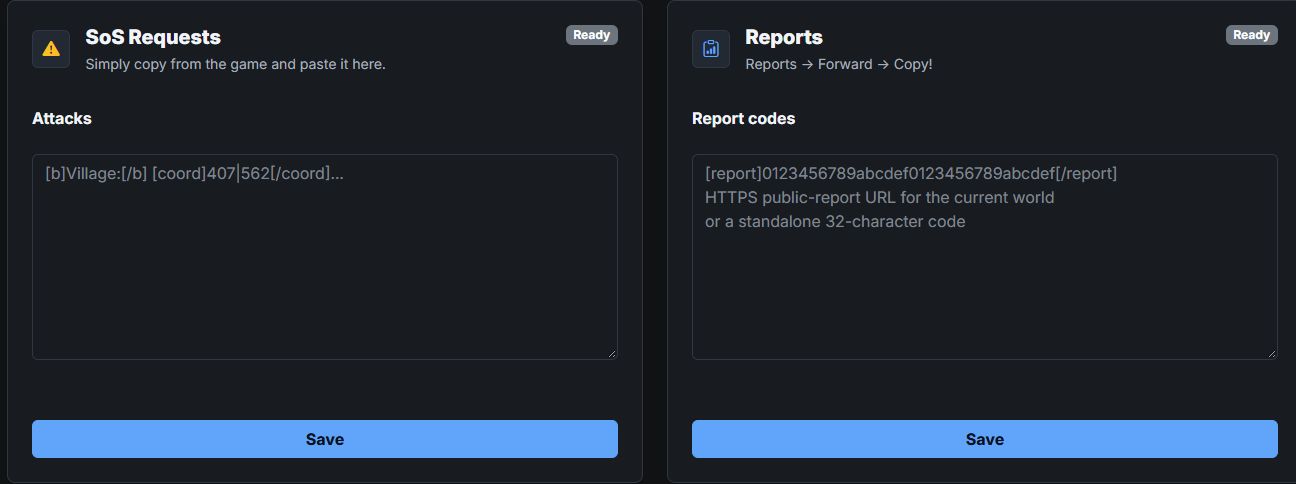
Import reports: identified offensive and defensive villages provide the foundation for automatic analysis of incoming attacks.
Explore toolOpen a tribe database you can access through the world overview.
Explore toolPaste supported report codes or public report links from the current world.
Explore toolNarrow down reports by account name, tribe and coordinates.
Explore toolCollect attacker and target coordinates and distinguish attacks, fakes and other command types.
Explore toolUse coordinates and zoom levels to reach the villages you want to inspect.
Explore toolThe database identifies offensive and defensive villages from troop information in imported reports. For incoming SOS attacks, it uses that village knowledge and other available evidence to assess possible offensive attacks and fakes automatically. The assessment depends on the data available.
These product pages are public. The application requires an account and access to a tribe database.
Creating a new database has a one-time fee. The price for your world is shown before you place an order.
World information and data imported by members have different sources. Troops, reports and commands depend on the imports available and when they were recorded.
Your profile and Discord Center let you configure notifications for supported events, such as new SOS requests, SOS updates and new reports. Website, browser and Discord delivery depend on your settings and linked account.
Register, choose your game world and create a tribe database or request access to an existing one.