
Collect battle reports
Paste supported report codes or public report links from the current world.
Copy, paste, review
Data import is your starting point in staemmeDB. Copy supported information from the game into the matching input field. Imported reports provide troop information for automatic Off/Def detection. Together with imported SOS requests, they form the basis of automatic attack analysis.
Paste supported report codes or public report links from the current world.
Bring game overviews into the dedicated troop and building fields.
Import outgoing attacks and SOS requests for further analysis.
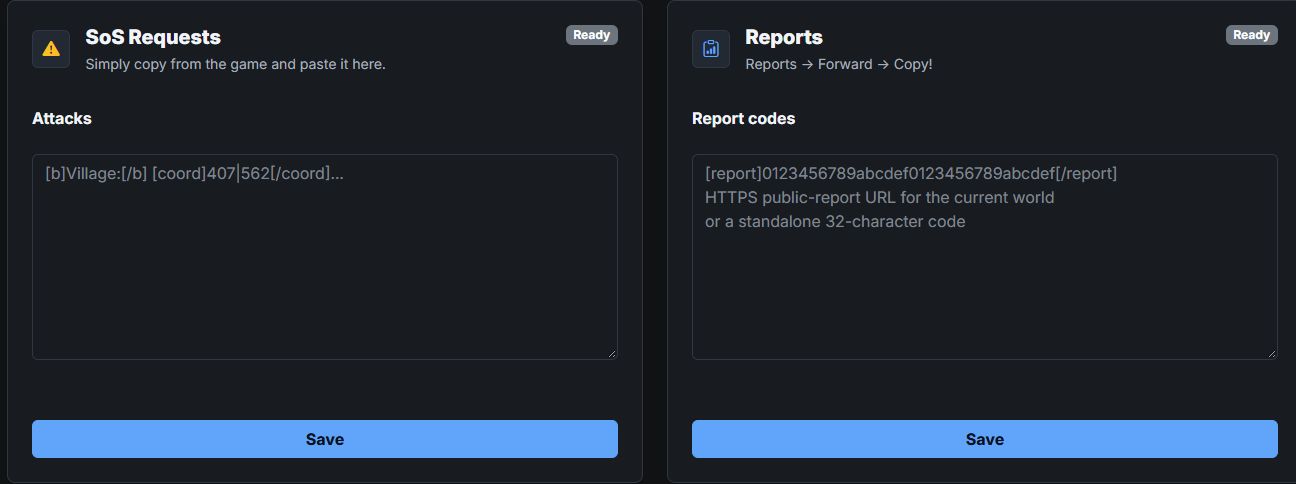
There are separate fields for SOS requests, reports, troops, buildings and outgoing attacks.
Report processing runs in the background. Check the report overview again after processing.
Register, choose your game world and create a tribe database or request access to an existing one.